• Skip to primary navigation
  • Skip to main content
  • Skip to primary sidebar
SensorsONE

SensorsONE

  • Products
  • Contact

dyn/cm² to psi Conversion Table

The pressure unit dynes/sq cm is converted into pounds/sq inch in the following way:

  • 1 psi = 6894.76 pascals (Pa)
  • 1 dyn/cm² = 0.1 pascals (Pa)
  • psi value x 6894.76 Pa = dyn/cm² value x 0.1 Pa
  • psi value = dyn/cm² value / 68,947.6

Enter a pressure in dyn/cm² below to convert it to the equivalent pressure in psi.

From dyn/cm²
To psi
Sorry, a graphic could not be displayed here, because your browser does not support HTML5 Canvas.

Featured psi pressure unit scaled products
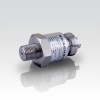
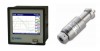
  • Low operating temperature plus/minus 1 psi pressure transmitter
  • 40,000 psi pressure sensor and data logger
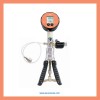
  • 150 psi pressure tester for calibrating air pressure gauges
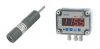
  • Contaminated groundwater submersible plastic body 5 psi pressure transducer & display

Choose a value between 0 and 2000000 dyn/cm² from the pressure conversion table below, to obtain the converted value in psi.

dyn/cm² psi 🔗

Primary Sidebar

Wirelessly Measure & Log Pressure

Use this battery powered wireless pressure sensor to transmit readings to a receiver connected to USB, RS485, RS232, cellular network or analog output

Use this battery powered wireless pressure sensor to transmit readings to a receiver connected to USB, RS485, RS232, cellular network or analog output

Products

  • Pressure
  • Level
  • Temperature
  • Interfacing
  • Datalogging
  • Calibration
  • Wireless

Application Selection Guides

  • Absolute Pressure
  • Air Pressure
  • Barometric Pressure
  • Compound Pressure Ranges
  • Dual Temperature and Pressure
  • Hydrostatic Pressure
  • Low Pressure Range
  • Marine Approval
  • Overpressure Protection
  • Pressure Calibration
  • Submersible
  • Suction Pressure

Product Selection Guides

  • Data Loggers
  • Differential Pressure Sensors
  • Digital Pressure Gauges
  • Digital Pressure Sensors
  • Hydrostatic Liquid Level Sensors
  • Millivolt Output Pressure Transducers
  • Pressure Transducers
  • Pressure Transmitters
  • Voltage Output Pressure Transducers

Help Guides

  • Determining the hydrostatic pressure range for a tank level sensor
  • How to get a 10 volt signal from a 4-20mA output pressure sensor
  • Measuring vacuum with negative gauge or absolute ranges
  • Pressure Sensor Accuracy Specifications
  • Measuring liquid level in a sealed tank with a hydrostatic pressure sensor
  • What is the difference between gauge and absolute pressure measurement
  • Measuring the difference in air pressure between rooms
  • Measurement Accuracy
  • Symptons and Causes of Damage to Pressure Transducer Diaphragms
  • How to Connect a 4-20mA Current Loop Pressure Transmitter
  • Difference between vented and non-vented water level measurement
  • Determining water tank volume using hydrostatic pressure
  • What is difference between working, burst and over pressure
  • Process Connections
  • Advantages and Disadvantages of using a 4 to 20 mA Signal
  • Not reading zero when pressure is vented to atmosphere
  • Measuring the volume of liquid in a horizontal cylinder tank
  • Determining calibration error of Bourdon tube pressure gauge
  • What is the difference between zero offset and zero drift?
  • Why use 4-20mA and 3-15 psi rather than 0-20mA & 0-15psi
  • How do you measure the volume of a liquid using pressure
  • What is the difference between vacuum and absolute pressure
  • What does negative and positive gauge pressure mean
  • Measuring negative pressure using a positive differential pressure range
  • Measuring vacuum as a negative gauge pressure using a dp sensor
  • Measuring liquid level in a tank using a dp sensor
  • Measuring density of a liquid using a dp sensor
  • Pressure Sensor Technology Comparative Guide

Email Your Enquiry

enquiries@sensorsone.com
By clicking "OK" or continuing to use this website you are providing your consent to use cookies as described in our Privacy Policy

© 2026 SensorsONE Ltd, all rights reserved

  • Home
  • Products
  • Tools
  • Legal
  • Contact